Password Manager and Generator software: Password
Master
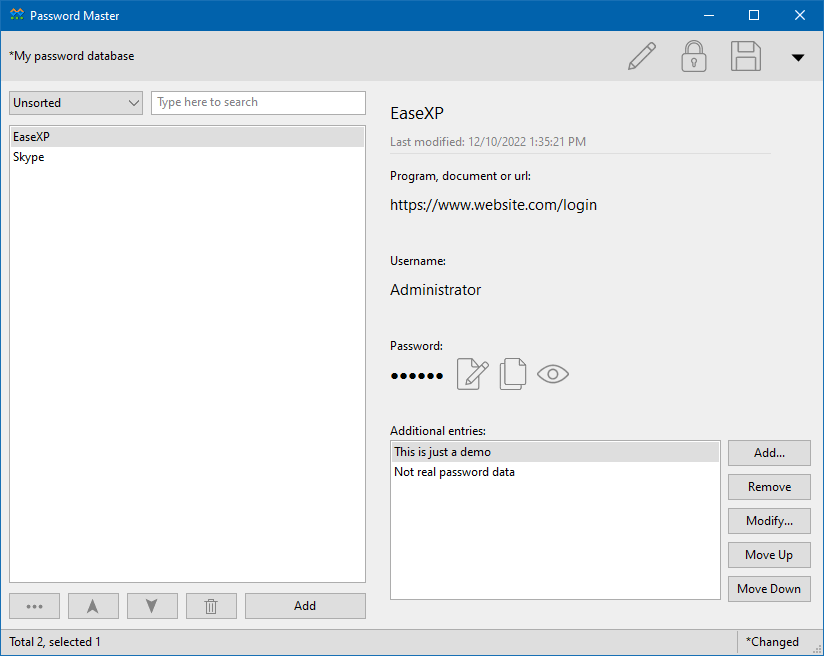
Password Master can be used to manage any kind of your passwords
and user names and any other information, include the passwords for emails,
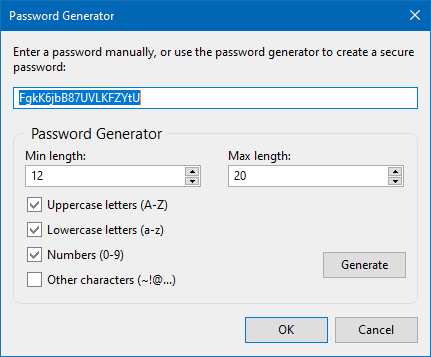
online services, programs etc. It also provides a build-in password generator
to help you to create passwords.
Why
do you need Password Master?
In your "internet life", you need to create so many passwords
for your emails, online services, instant messengers etc, you also need
to create passwords for some programs that you don't want others to access.
It is not an easy thing to remember all of those passwords, plus you have
to remember your user names related to the passwords, remember the URLs
to the online services (for example: MSN).
To use same (or similar) passwords to all of the accounts probably will
make it easy to remember, but if someone got this password then it could
be easy for them to access all of your accounts. You probably want to
use some special strings as the password, such as your child's nickname
or your birthday, this will help you to remember the passwords easily,
but it will also be easier to someone to get your passwords.
The best choice is to create unique passwords for each account, but
this can be tedious and hard to remember. If there is a software that
can save the passwords in a single database (profile), and encrypt the
database and let you set a "master password" for accessing the
database, then you only need to remember the single master password. This
will make your life easy.
Now by using Password Master, you will never forget your passwords!
Password Master is such a software that can help you to save the passwords
for all of your accounts to a single encrypted and password protected
database (profile). It not only will save the passwords, but also will
save other information as you want: the user names, the URLs or the path
to the programs etc.
And you can create unique passwords for each account easily.
Password Master will help you to create any unique password, it provides
a powerful build-in password generator to help you to create any kind
of passwords.
Not only passwords...
Password Master can save passwords, and can also save user names, related
programs or URLs, and any other information.
You can create as many databases (profiles) as you want.
It is easy to backup your passwords, just backup the database (profile)
files you created.
You can also print the accounts and passwords, or export them to a
text file.
Password Master allows you to print the password items in the database,
or export the password items to text document. the exported text document
can be imported by many database programs such as MS-Excel.
Features:
- You can create as many profiles as you want.
- Supports to print one or more of the password items, or all the items in a profile.
- Supports print preview.
- Supports to export password items to text documents.
- Exported text document can be imported by most of the database programs such as MS-Excel.
- Supports to password protect the software itself.
- Fully supports hotkeys (menu/toolbar hotkeys and global hotkeys).
- Supports most of the normal program operations: Copy, Cut, Paste, Selected All etc.
- You can easily locate to a password item by using "Find" and "Find Next" feature.
- Can be set to automatically loaded when system booting.
- You can register the file type of the profiles in Windows's registry, then the profiles can be opened by double-clicking on them.
- Password items in the list box can be sort as you want.
Download Now:
Feel free to download the FREE TRIAL of Password Master for testing.
It is easy to download the software because such a powerful software its
size is only about 300KB, it will not waste your internet bandwidth. click
here to download it.
Purchase:
Get Password Master with only $29.95, you will also
get:
- One Full Year of FREE Upgrades to both the major and minor
new releases.
- *FREE Electronic Delivery of the registration information
by email.
- Technical support by email (support@easexp.com).
Click Here to start your order
*Please note don't choose the "registration backup
service" during purchasing. Your can ask us to re-send the registration
information by providing your OrderID or the email address you used when
purchasing.
|