Home | Products > | Purchase | Downloads | Contact Us |


Download TransWin

Purchase TransWin

TransWin Screenshots

Make any window to be transparent: TransWin

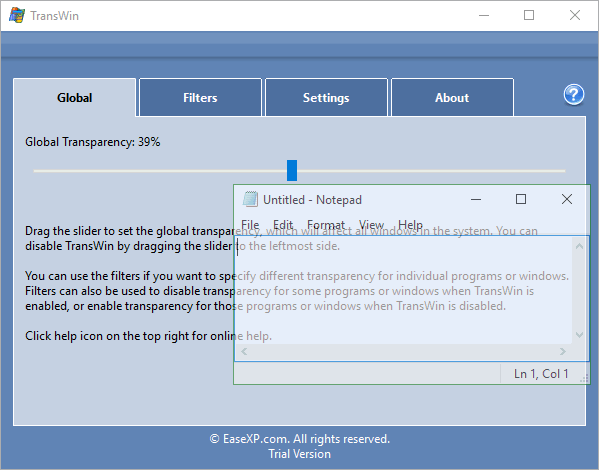
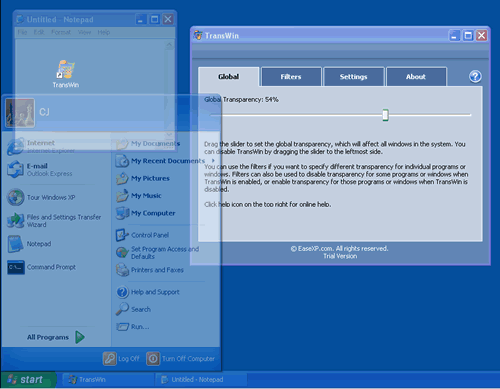
TransWin is a tiny yet powerful tool to help you to set any or all of the windows on your desktop to be transparent. You can set any window to be transparent or to be disabled the transparent, you even can set the Start Menu and the task bar to be transparent. It supports to set the transparency value for all or any of the transparent window, which from 1 to 254. TransWin also supports to add the program path to force all the windows created by a program to be transparent, or add the filter string to make all the windows that matched the filter string to be transparent.

TransWin ScreenshotsMake any window to be transparent as you want!

Some programs will provide the feature to make its window to be transparent, but most of the programs will not. Now, by using the TransWin software, you can make any window to be transparent, includes the start menu, the task bar, any web browser etc.

It's totally controllable:

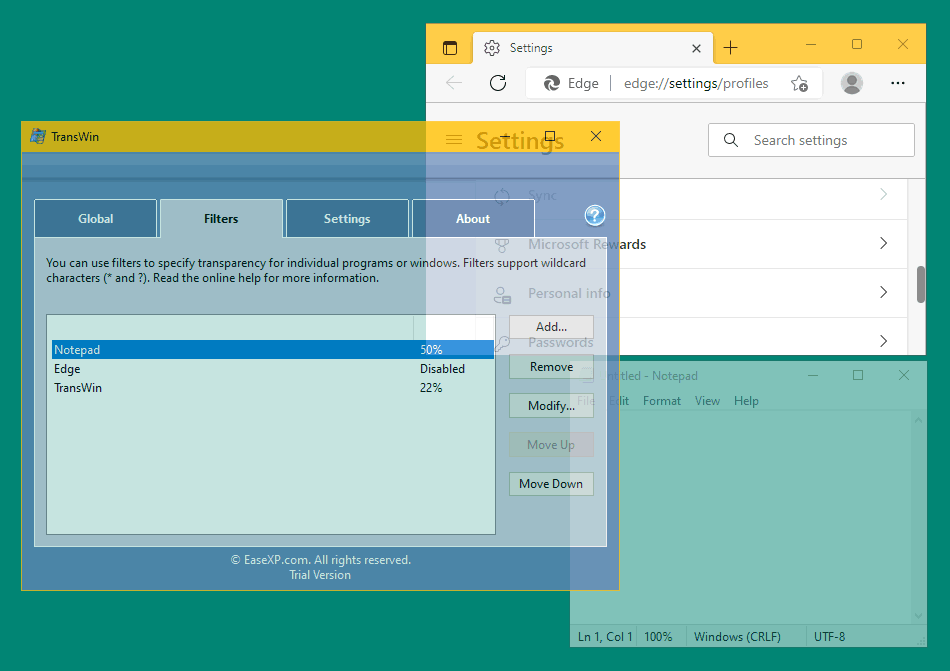
You can make all of the windows to be transparent, you also can only make one or more windows to be transparent; You can of course prevent some windows from being transparent when you making all other windows to be transparent.

If you add a window or a program to the "Special windows/programs" list, then the window or the windows created by the program will use the special settings to display the transparent windows.

TransWin supports "Filter" and "Path" for special windows or programs. If a window matched the filter, then it will be shown by using the transparency value you specified in the filter. If you specified the path for a program in an item of the list, then all the windows created by the program will use the transparency value you set in the item.

The opacity of any transparent window can be set as you want. This is, you can set a window to be totally transparent even none can see it, you also can set a window to be only a little transparent. The transparency value can be set to 1 to 254, which the value 1 means to be totally transparent, the 254 means will not be transparent. Of course you can totally disable the transparent for any program or window.

Download Now:

The free demo version can be downloaded here. TransWin is a "green" software, it needn't to be installed, just download the software, then use it. It will not create any additional file when you using the software.

Purchase:

Get TransWin full version with only $19.95.

  • You will be able to download the full version after you purchased it.
  • The full version will never need you to enter any registration code (license code, serial number).
  • Technical support by email (support@easexp.com).

Click Here to start your order

*Please note don't choose the "registration backup service" during purchasing. Your can ask us to re-send the registration information by providing your OrderID or the email address you used when purchasing.

What will happen after I placed an order?

After you placed an order, you will get a message via email to inform you the download link of the full version, you then can download the full version by following the link.

Please note you should download the full version as soon as possible, the download link will be removed after 3 days.

However, you can contact us for the full version if you have any problem during downloading the full version, or you want to download it again. There is no risk with your order.

Need help when using it?

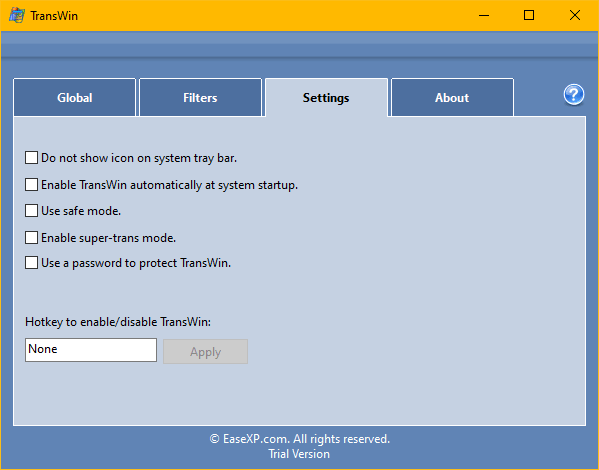
It is very easy to use the software, WYSIWYG (What You See Is What You Get), you make any change to the software, needn't to apply the change, it will be immediately applied to the system.

And, it will not make any change to your system -- you quit the software, then all will be back to the original state. So, just try any feature it provided as you want.

The help document for the software is on the web site. Please click here to visit the help page. Of course if you want, you can easily save the help document onto your local computer.

Demo version vs. Full Version:

If you want to know about the different between demo version and full version, please Visit this page.


Google
 
Web www.easexp.com

Copyright © 2005-2007 EaseXP.com, All rights reserved.

[ Home ] [ Products ] [ Purchase ] [ Downloads ] [ Contact Us ]